Education ∪ Math ∪ Technology

Author: David Wees (page 82 of 98)

Final reflection: ISTE 2010

The ISTE conference is over, and I’m finally able to unwind and get a chance to reflect on the experience.  The conference was awesome for many reasons, but there was a reoccurring theme that happened during the conference, which to me was the most important part of the conference.

When I first submitted my proposal to my school to attend this conference, I realized I would have to try and keep my budget down so I volunteered to stay with relatives of mine who live in Boulder.  My school happily accepted this compromise, and paid for my registration and airfare.  Unfortunately, it turned out that my relatives, who were originally able to put me up, were going to have to be out of town during the conference, and this meant that my free place to stay was no longer available.  Ugh.  I posted a request on Twitter for some help finding a place to stay, and within a couple of hours, @cindybuchanan generously volunteered half of her hotel room.  First connection made.

We met at the airport on Saturday, using Twitter to confirm out location, and picked up our bags.  Cindy had rented a car, so we went and picked it up, then drove to her hotel.  We stashed our stuff, thanked the staff for providing the spare roll-away bed, and went out to get a bite to eat and get to know each other.  Yeah, I spent the entire ISTE conference sleeping in the hotel room of a stranger, although of course by the end of the conference, we were friends.
Marlowe Tweet-up

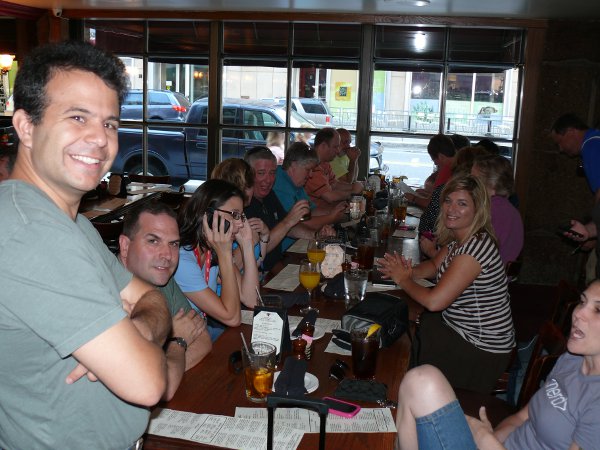
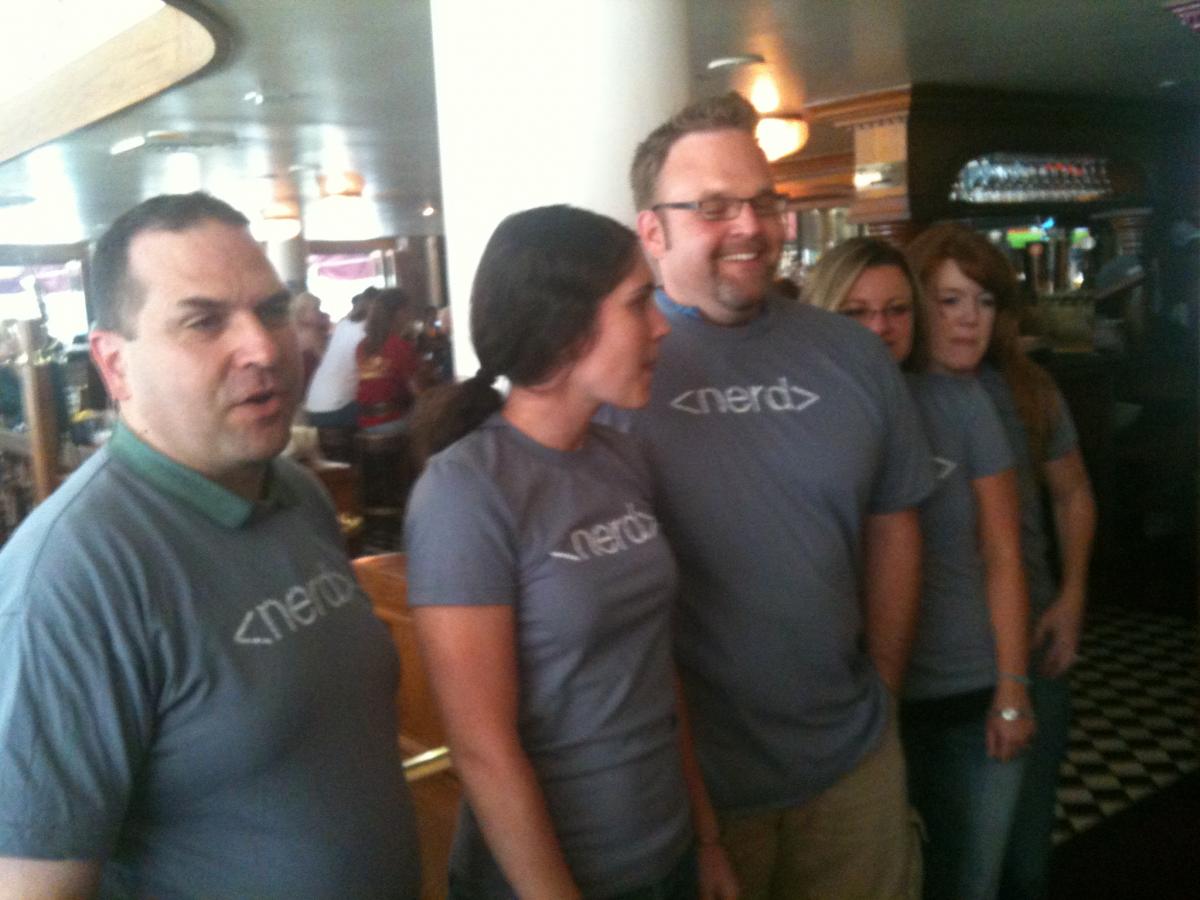
Sunday, we slept in a bit, then headed to the first Tweet-up of the conference for us, at Marlowe’s.  We got a chance to hang out and meet people, and I met @mbteach, who is a huge part of #edchat on Twitter.  They had some awesome t-shirts with <nerd> on the front, and </nerd> on the back, which I really wished I remembered to purchase in advance.  Very cool.  If you have to ask why it’s cool, you aren’t a nerd.  I also met @geraldaungst and @kylepace here and many other Tweeps.  Second connection made.
Nerd Shirts

That night we went to the Wells Fargo theatre in the Denver convention centre for the conference kick-off which was pretty funny.  Pretty silly, but definitely worth going.  We went outside and headed our separate ways for reasons which I don’t remember, and I missed the keynote address.  Well not really, I was outside the theatre at the Blogger’s cafe trying to watch it on the screen, but the speaker was being lambasted so much it was difficult to do.  Fortunately @dwarlick posted a mind-map summary of the keynote, which turned out to be much easier to understand than the actual keynote.

Cindy and I met up at the Hard Rock Cafe where we got to participate in another Tweet-up.  We got the opportunity to hang out and chat over some beers.  There were a lot of other people here from Twitter, including @angelamaiers and we made another connection. Cindy and I were pretty exhausted though, so we headed back to the hotel and got excited about starting the actual workshops on Monday.  

Monday I participated in an early morning session on tablet PC’s in the classroom which I’ve blogged about on here already, and also the 10 Pitfalls to Implementing Open Source, run by Revolution Linux.  Both of these sessions were great, as was the time I spent during the day intermittently at the Blogger’s cafe.  In the afternoon I volunteered at the Twitter table at the Social Media playground, and converted 10 people into Tweeps.  It’s not hard, the argument is pretty simple and I’m sure most of you will have heard it before so I won’t repeat it here.

After a session on using Google Sketch-up for Beginners, Cindy and I met up again and went out to dinner at a Tex-Mex style restaurant before going to TEDxDenverEd.  The TED conference was great, lots of fun listening to all of these great speakers.  I know some people complained that they wanted a wider set of ideas, but to be honest my expectations were met completely.  I was very impressed with all of the speakers, even if I knew I wouldn’t be able to use all of the ideas myself.  We got to participate in a social justice idea brainstorming session which was lots of fun, listen to some more speeches, and then we got to go home.  Cindy also won a classroom response system made by Qwizdom which was very exciting.
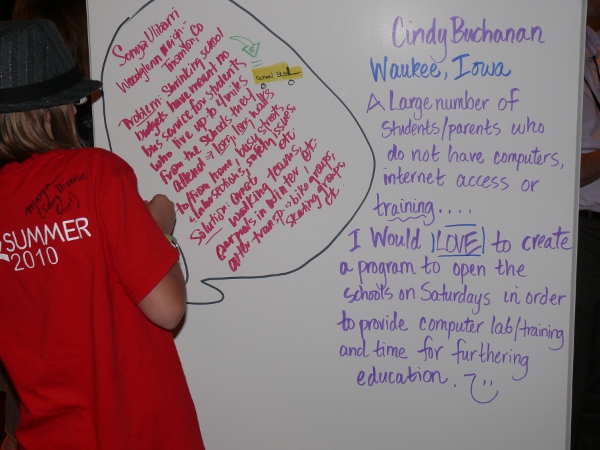
TEDxDenverEd solutions activity

I spent my morning on Tuesday checking out the exhibit hall, and hanging out at the Blogger’s cafe.  I submitted an application to the @inFocusEdu booth and won an interactive LCD projector.  I was super pumped about this, and happy that inFocus was willing to ship the projector directly to my school.  At the drawing, I ran into Dr Fred Mednick, the founder of Teachers Without Borders.  He was one of the speakers at the @TEDxDenverEd conference, and I invited him out to lunch.  We had a great discussion about education, and technology in education, and how these major conferences always seem to stray toward the use of the gadgets and away from our primary purpose, which is teaching kids.  This was a great connection that I made, and I am hoping I can find more time to participate in his program.

I then listened to a lecture by Jeff Lao on designing a successful 1 to 1 program which was pretty fascinating, if only because of the detail Jeff went into.  Jeff works for the state of Maine, and has helped set up the very successful 1 to 1 Macbook program that Maine uses.  I’m pretty impressed that an entire state is 1 to 1, and it gives me hope that the future of other states, and my own Canadian provinces will follow in their footsteps.

#edchat was being held live at ISTE, in the Social Butterfly lounge, but to be honest it ended up being a disappointment.  Everyone was on their laptops and the discussions that I would have liked to have had in person about education never really materialized, despite my efforts to engage a few of the isolated groups participating.  On reflection, I would probably have much preferred the session that @teachpaperless went to, on Games, MMOS, and Virtual Worlds.

Tuesday evening Cindy and I went to the @simplek12 Tweet-up for dinner, had some fun hanging out for a bit, but then bailed early because we were both so exhausted.  We went back to the hotel room, and I got a chance to finally reconnect with my wife for a bit, and put a little bit of work into my Masters degree, then I connected with my online gaming buddies and played an online game for a bit.

Wednesday went by pretty quickly.  The only session I really enjoyed was on using Blender in the classroom and most people at the session had difficulty.  For me, it was a great opportunity to get introduced to the program, and learn enough so I can get started on some more complicated projects.  Once this ended, I rushed to the keynote address by Jeff Piontek, which was excellent, but for me was a restatement of a lot of ideas I was already aware of and agree with.

The highlight of Wednesday was by far having dinner with @teachpaperless where we totally connected about some action that needed to be taken in education.  Shelley’s big idea was that we need to bring together people from all areas of education and have them work out a solution, rather than relying on a largely unsuccessful top-down approach.  Bring in people from the top educational management, the leaders of educational technology, teachers, students, parents, and government officials and have them work out some concrete solutions to the problem of educational reform.  Interestingly it looks like British Columbia, my home province, might be doing just that.
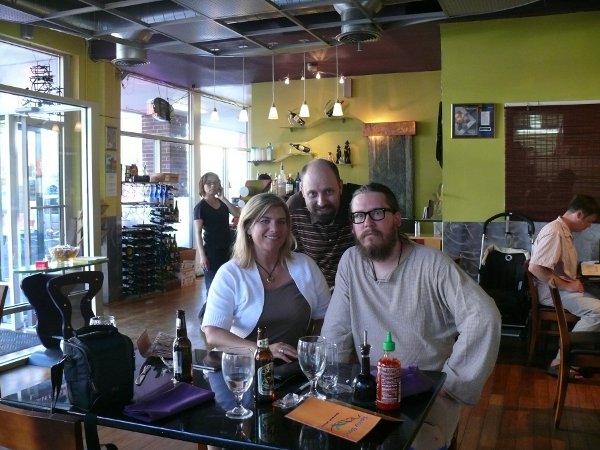
Cindy, me, and Shelley

This conference for me was all about the connections that I made.  I may forget what was covered in the workshops, in the keynote addresses, or in the many tweets that I read, but I will never forget the people that I met, and the impact they have had on my thinking about education.

Using and Teaching Blender – an Open Source 3D Modeling Program

Sitting in an Open Source lab with a bunch of computers set up as thin clients from a central server.  Has the advantage of easy updates to software since it is all done on a single computer but the particular set-up in the Open Source lab room was apparently having issues all day and crashing fairly easily.  My own client choked half-way through the tutorial on Blender, so I had to switch to my laptop, but I was really glad I brought my laptop.

First we watched a movie created using Blender called "The Lighthouse".  Pretty cool film, the animation looks spectacular with a lots of special effects, and a good simple storyline.  You can watch it online below.

This could be a good way to introduce your students to Blender and hook their attention, if they realize that they are learning the software tool which was used to create this movie.  Blender allows users to create incredibly detailed 3 dimension models, optionally animate those models, and then render these animated (or static) models into a video.  It’s really an amazing platform for student creativity.

I have to admit, I had attempted to use Blender on my own first, and found it quite intimidating, so I went and found an online Wikibook manual, which I reviewed for about 30 minutes, and I found it helped me get over a bit of that early and steep learning curve with Blender. You can access this tutorial yourself here: http://en.wikibooks.org/wiki/Blender_3D:_Noob_to_Prp

According to our instructor, there are a lot of Blender tutorials available on Youtube, which can be handy as you can actually see the buttons being clicked, etc…

The most important point to know about Blender is that it is a program which uses a 3 button mouse (although there are some work-arounds for people not using such a mouse) and many, many keyboard shortcuts.  You need to learn both how the mouse is intended to work and what the keyboard shortcuts are.  A cheatsheet would be useful here, I recommend printing one out and having it sit beside you as you are learning how to use Blender.  The other important point that our instructor pointed out is that the keyboard shortcuts are tied to where the mouse is on the screen.

Another observation he had was that the program itself may not be suitable for general use.  It would be better to use this program with students who are really motivated, or expect to spend more effort teaching how to use the program.  Blender takes a huge amount of focus and effort to learn, but once students have some of the keyboard commands memorized, then what they can do with the program is amazing.

In order to really learn how to use the program, I strongly recommend either reading the tutorial linked above, watching examples on Youtube, or looking at one of the many resources available here: http://www.blender.org/education-help/

How to Design a Successful 1-to-1 Program

At a presentation on building a successful 1 to 1 program in a school district.  Presentation will be aired here eventually – http://www.mlti.org/presentations.  Just writing down notes for now, as I have a lot to digest.  This session was awesome, I strongly recommend you watch the entire presentation later if you weren’t able to come in person.

The first point the presenter talked about was that focusing on the teacher is the wrong goal.  You want to focus on the learning the students will do, rather than the way the technology works.  The details about logistics, etc… have to be framed in the context of the student use of the devices.  Teachers need to be thought of as a partner with the students so that they gain training as well as the students.

Presenter is using actual examples from a classroom about why a 1 to 1 program is helpful and effective.  He used an example of how you could teach the American Revolution in an American History class, but then share the learning with a class in Britain who are learning about the Rebellion.  This was a great example of something that cannot be done using traditional tools.

Great example from the presenter on how not to turn technology into a tool.  Students have to have a back-up device so that they are never without a laptop.  Ask for a solution, not a price quote.  Ask for what the devices should be able to do, rather than the minimum technical specs the devices should be able to do. Use one service provider this way you will only have 1 phone call to make whenever anything goes wrong in your building.  

Focus on tool-based software, software assurances includes.  Apple builds the image for their systems to make sure that it works.  Keep the way you handle your logistics simple.  Trying to do updates over a network might be easier for the IT professional, but it will take too long to do with a large image size.  Use a thumb drive to update the systems, it can be as short as 18 minutes to reimage a single computer.

No servers, no domains, no AD/OD. Each student authenticates to their individual computer, rather than to a single location.  Setting up backups is a separate issue which can be done using a different system fairly easily.  Stop trying to fix individual student problems, reimage the computers when there are problems and have the students rely on their backups.

Have spare devices, send the computer off for repair, give the students the spare devices, put their work on the spare computer, and then send them on their way.  Need fast turnaround on repairs.  Look at trends on what needs to be repaired which will help keep costs down.

"If Deborah keeps bringing in her computer in Swahili every 3 weeks, it can be useful to have kept track of this so that you can help individual users."

Things will get damaged out of warranty.  Most insurance plans do not cover vandalism for laptops.  Make sure to follow the rules of the insurance.  For large organizations like Maine, the cost of vandalism insurance on each laptop would be more than the cost of replacing the vandalized devices during the year.

Build your building first, put the furniture first, then build the wireless network.  The furniture can interfere with your settings and wireless coverage.  If you want to ensure you have sufficient coverage and you haven’t built your school yet, run cable everywhere as this is fairly cheap.  You can always choose later which cable needs to be used once you have the furniture in the building.

The tighter your [internet] filter, the less happy your students and teachers will be.  Try and teach digital citizenship rather than focus on restricting what the students can do. Look at software installation, what can be installed, what can. Who should run updates, who shouldn’t.

Make sure to share your leadership and vision with all stake holders, including administrators, teachers, parents, students, IT professionals, 

Participating at TEDxDenverEd tonight

Tonight I had a really amazing opportunity. I got to attend a TED conference for free, here in Denver.  We really had some amazing speakers lined up for us, and it felt like a real privilege to listen to these people speak, who traveled from all over the United States to give their talks.  

TEDxDenverEd

The screen we were faced with when we entered the hall was so surreal.  I couldn’t believe I had actually gotten an opportunity to attend one of these amazing conferences in person.  The entire evening passed by faster than I could have expected.  We got to hear talks about environmental education, integrating technology smoothly into the 4th grade classroom, global initiatives being coordinated by Teachers Without Borders, 3D technology in the classroom, and an amazing performance by a virtuoso piano player.

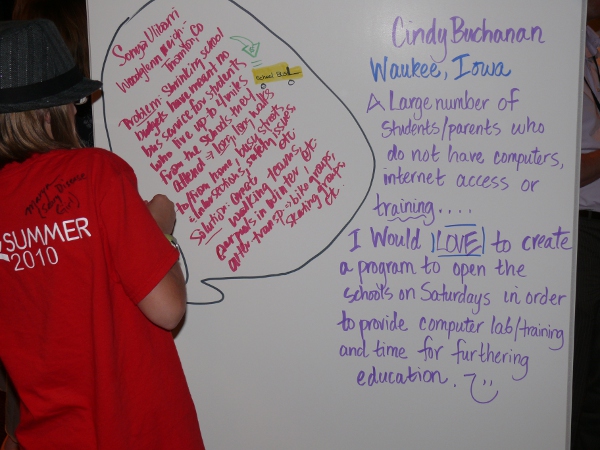
One of the projects which I really found interesting was introduced by Dafna Michaelson and involved turning students into solvers of problems.  She described how she engaged her daughter’s 3rd grade class in discussion, and how the class developed a solution to the problem the school was having with recess.  She extended the idea to the entire TEDx audience, and we ended up in a brainstorming session about problems in our community and how we thought we could solve them.

TEDxDenverEd Activity

We each listed our name, our community, our problem, and our potential solution.  Apparently the person with the "best" idea wins a $1000 contribution to help make their idea a reality, but to be honest this type of brainstorming was interesting enough for me.  Just having the opportunity to brainstorm with some of the most creative and intelligent people around was awesome.

The highlight of the evening was meeting Adora Svitak.  They first showed her video from a previous conference, and then she came out to speak which shocked all of us!  She’s an amazing 12 year old with a vision for how education should be run.  She is articulate and outspoken and an amazing young educator.  Here is a repost of her talk from an earlier TED conference.

Next year’s ISTE conference is going to be difficult to beat. What an amazing night!

Notes from ISTE 2010 Session – Pitfalls of Open Source

Presentation by Revolution Linux.  The presenter’s name was Benoit des Ligneris (who is @bligneri on Twitter).  Below are some notes on what he talked about during the presentation.

#10 – Technical interests superceding user interests

Value of the technical set-up can be limited to the end users, the students, teachers and administrators.  Need to make sure that the focus is on the end capabilities to the users, especially if there is an associated cost.

#9 – Lack of User Input

Some great open source projects where the user can easily contribute to the projects.  These projects are more successful because it is easy for the user to contribute.  Some open source projects don’t seek input or feedback or provide help to the users, which ends up limiting their success.  Get your users involved in the implementation, don’t wait fo the project to be complete before getting feedback from the users.

#8 – Training issues

Open souce software isn’t free like free beer it is free like freedom.  People think free like beer, they forget they will need to pay for training, or for support.  The software allows freedom to use it and modify it, but one shouldn’t forget that it will still have associated costs and that training should be ongoing.

#7 – Individual needs vs organization needs

An individual might make a choice on what they want to use, and then try and move these choices to the organization.  There may be a disconnect between what the individuals want to use and what the organization needs.  Sometimes a user may have an idea of what they want to use, but forget that other users may want to use their computers differently.

#6 – Changing software and versions too often

Most open source projects ship new versions very quickly, but they may update faster than the users can handle.  Users need an opportunity to digest and get used to the software, and not have it change while they are using it.  As well, new versions may have bugs that the older versions do not, so you have to be careful during upgrades and ensure that each upgrade is tested carefully.  It can also be really hard to keep up witht he changes as an IT coordinator and you may end up with users on different versions of the software because of the time it can take to update a large number of computers.  Perhaps version updates should happen at most once or twice a year?

#5 – Interoperability between systems

It is important to use software which allows for interoperability between all of the systems which are deployed in your organization.  This way users can potentially move between different systems more easily, and allows for greater communication between users in your organization who are on different devices.  Each different platform should have the same user name and password for each system so that the users don’t have to remember many different logins.

#4 – Lack of local support

Users need a base to work on, and have a chance to ask questions from an expert in the software.  Need to train some power users at every building, especially in large school districts.  Make sure there is someone around who can answer questions about how to use the open source software.  Think about how you can transfer the expertise from the "super hero" user to the users in the other areas.  Having someone around locally will also make the general user feel a lot more comfortable about using the open software.

#3 – Buying a product, without giving the same kind of support as you usually do

Ensure that you provide as much support for your open source software as you would have done for your propietary software.  "Just because the software is free doesn’t mean that it isn’t critical for your organization."  The more critical the use of the software, the more important the support that is provided.

Putting too much focus on the hardware in the wrong moments.

Sometimes the problem is the user, not the hardware.

#2 – Neglecting user interface

Make sure you spend the effort to improve the user interface so that users can use it properly.  For example, the default interface for Drupal, which is a widely used and successful content management system, is not very user friendly.  Make sure that the software is convenient for the majority of users, rather than just the administrators.

#1 – Going for Open Source because it is free (costs no money)

The only part of using open source which is free is the licensing.  There are a lot of associated costs with using open source.  For example one university chose to Moodle as their learning management software, but then had to spend $500, 000 in costs to upgrade and change the software to suit their needs.


Being an Exhibitor is Frustrating

 I wandered into the Exhibition hall at ISTE 2010 briefly today.  I could only really stand about 30 minutes in that room, it was rather overwhelming.  As I wandered around, I realized that the vast majority of the stalls with vendors in them seemed empty.  In fact, most people were gathered around a few larger vendors and many of the smaller vendors looked pretty bored.

The problem is that we have SO much choice of what to look at that many of us couldn’t decide.  There were hundreds (if not thousands) of people wandering around the hall window shopping at different vendors, and hardly anyone stopping to find out more, except like I said at a few of the larger vendors.  Adobe, Promethean, etc… could draw customers to their booth through the power of the reputation they have developed but the smaller vendors did not have this option.

My thought about this is that they all looked the same from the outside.  "Hey look, we have some limited solution to a tiny problem your schools have and we want some of your money."  This was the refrain of 90% of the vendors in the exhibition hall.

Here’s a recommendation for next year: bring in some students from your partner schools and have THEM demonstrate the technology in practice. If your product doesn’t lend itself well to student demonstrations, then there is a problem with your product, and maybe an exhibition hall isn’t the right place to share it.

If you are going to rely on a poor practice for sharing work, I think you should expect poor results. 

ISTE 2010 Session – Tablet PCs in the Classroom

This morning I participated in a session by David Berque from Depauw University on "Experience the Possibilities of 1-to-1 Computing with Tablet PCs."  My first observation is that the title is totally accurate, we actually got to experience using an HP tablet PC.  What a difference it makes to have the technology in your hands!

The HP tablets were a slightly older model, but they mostly worked smoothly.  My particular model seemed to have a problem with switching the screen direction, but otherwise I really felt like I was getting the whole experience.  They had DyKnow software installed on them, and I have to say, the developers of the DyKnow software obviously worked with educators as partners, they thought of everything!  I was amazed at the capabilities of the software.

Our session started with David presenting as if he was our teacher in an algebra classroom, and us as the students.  We learned some brief facts about binary numbers and were led through an activity with binary numbers.  David made sure to emphasize the affordances of the Tablet PCs and at least mention some of the features, which were impressive.  Here’s a brief list of the most important items I remember:

  • The teacher can control any of the student’s computers whenever he/she wants.  Obviously this is a classroom management feature.
  • The software allows for imports from other software, which makes the learning curve a bit less for teachers.
  • The instructor can collect student responses quickly and easily from the students, allowing for students (and the teacher) to get feedback about the lesson as it is ongoing.  This turns the Tablet PC into a classroom response system, which lots of research shows is incredibly useful.
  • Lessons are automatically recorded, and each slide of a presentation can be played back by the students (with audio), so that they revisit a lesson if they want.  The students also have their screens updated with the information the teacher is presenting, which makes note-taking much easier.
  • The software allows for collaboration mode, and group work, which means that pretty much any constructivist learning you want to do is possible. 

This software really helped turn the PC into a tool that was much different than what you could do with pencil and paper.  All aspects of what the computer can do were built into the software, including but not limited to network readiness and sharing of digital media.  Students could potentially log onto the program from home, and participate in the same lesson as their peers in class, or the whole class could be held electronically.  There would be a loss of feedback between teacher and student as a result, but with the built in chat room, and the ability to share what is happening on each other’s screens, communication between peers is much more straight forward in this medium than the typical online learning management system would be.

I’m going to collect some information on how much the software costs, because it seems to me that it would run perfectly well on a netbook, or even a Mac (running Parallels).  To me, the DyKnow software was the big show, and the fact it was running on a tablet PC was secondary.  If you have to choose between the two, this session seemed to suggest that the software was a better bargain.


What would work to improve education?

Here’s an issue which has been cropping up over and over again.  Whenever we discuss issues on Twitter, through #edchat or #iste10, or whatever educational channel we choose, we are by and large, preaching to the converted.  We don’t need to prosthelytize to these people, because quite simply, they agree with us.  It’s not a complete waste of time because we have the opportunity to hash out issues, look at some finer points of the issues, but I don’t think it has an enormous positive effect on the overall quality of education.

Why not?  Well, the people on Twitter represent a tiny fraction of all of the teachers in the world.  A tiny, tiny fraction, who for the most part have some skill set which sets them apart from their peers.  Many of us are techies, which is seen as this impossible skill that only a select few of us can obtain.  So as a result of this tiny size and this separation from our peers, we have very little influence.  So not only are we spending time chatting away only to each other, we can’t even share what we are talking about with our peers because they think that since it is coming in our voice, that it must be the domain of the unmasterable, except by the all-knowing technology expert.

So I have some ideas about how we can actually change education.  Some simple ideas, and ways to actually get them implemented.

1.  We need to advertise what we do widely and to the right audience. I’m thinking national ad campaigns in our individual countries, specifically about effective educational practices and what they look like.  They can be sponsored by educational technology companies, as long as the message comes across, THIS is what works, not this is the tool that works.  If we show that the educational practices work, the educational technology companies will make their money.  These types of ads should be targeted at both parents and politicians.  The really cool thing is that the media we’d like to use already exists all over the place on Twitter.  We share among ourselves daily, but it has yet to see a wide enough audience.

2.  We need to collectively hire a spokesperson whom we trust and who can bridge the gap between us, and our top level education ministers, whomever they may be in our respective countries.  A lobbyist if you will, who lobbies specifically for the use of effective and proven education techniques and against standardized testing.  This lobbyist should stand apart from the educational technology companies so that he or she has her own voice, but so they can also act as a funnel for a wide variety of effective techniques and best practices in education.  We would really like someone who is a known celebrity to step up and join our cause.  For some reason celebrities have more pull than we do, and can effect more change than we can.

3.  We need to continue to work at the grass roots level and improve education in our own schools, one student, one teacher, one parent, and one administrator at a time.  Without effective practices to feed into the ad campaign and to our spokes-person, our effects to demonstrate the effectiveness of our approach will fail.

Any other suggestions for concrete things we can do to improve our various education systems?

How not to Present a Keynote

This year’s keynote was awful.  The way the presenter talked, the disconnect between what he talked about and what most of us are here for, and the use of his PowerPoint slides was just horrendous.  Here’s a mindmap, created by @dwarlick (click on it to open the full image in a new window).

Keynote Summary

It doesn’t actually seem to me, from viewing this slide, that his actual message is all that bad.  Basically, there are huge problems in the world, and the current world structure can’t solve those problems.  If I had a captive audience of educators, this might be something I’d like to talk about too.  I mean after all, we are going to be educating the future leaders of the world.

The problem was the way he presented it was totally inappropriate.  He used a very poor PowerPoint presentation which he READ from to a room full of people who are easily distracted (because we are teachers) and unimpressed with poor presentation skills.  We know how to captivate audiences, and what he did was anything but captivating.  Here’s a sample slide, so you understand how bad it was (Thanks @web20classroom).

Slide from keynote

I’d like to say that the response from the audience, while probably accurately describing his presentation, was a bit harsh.  Maybe people on Twitter on the #ISTE10 channel were expressing concern about their own presentations tomorrow.  My recommendation to them, don’t follow #ISTE10 during or shortly after your presentation if you have any self-esteem at all and want to keep it.  I’d love to have seen a few more supportive folks, but the typical crowd mentality of "okay he’s down now let’s jump on him" cropped up yet again and pretty much everyone was negative.  Let’s try and avoid this kind of negativity for each other’s presentations in the next few days, shall we?

Wifi in the Air

I’m writing this post while on a flight between Seattle to Denver. I’m patiently typing on my iPhone, sitting next to people whom appear blissfully unaware how unusual this is. I’m updating a computer which is located thousands of miles away using a device smaller than a remote control from a height of 37,000 feet! I mean I can literally communicate with anybody who has an Internet connection, which means my potential audience is over a billion people.

This should be amazing to everyone but no one around me seems terribly shocked by this. Why would they, communication like this has become ordinary nearly everywhere in the world. When my students were on their trip to Africa, they were able to blog about the experience and share photos with those of us back at home. We got to feel a little bit like we were with them in Africa, it was very cool.

Global communication and interconnectedness are becoming commonplace. Within my son’s lifetime, he will have people he considers close friends that he has never met in person. Education has to take advantage of these changes to how we communicate or we risk turning our classrooms into digital deserts into which no student will want to venture.